Contact Management for Agents
Effective contact management is the heartbeat of your brokerage. With the advanced address management in onOffice enterprise, you stay in total control while maintaining your data with effortless ease.


Effective contact management is the heartbeat of your brokerage. With the advanced address management in onOffice enterprise, you stay in total control while maintaining your data with effortless ease.

The contact management in onOffice enterprise far exceeds standard real estate CRMs. Contacts and properties are so tightly integrated that a seamless trail of documentation is created—not just for properties, but between your contacts as well. Map corporations, heir communities, or private clients hierarchically. Assign custom categories and visualize your network in a clear tree structure. You’ll see: your database practically maintains itself.
Say goodbye to administrative hassle. Manage your contacts quickly and easily – your data is always at your fingertips. Enjoy exciting features:
Missing data? No problem – let your contacts update their information! It’s simple with an online form via email, keeping your database always up-to-date.
Your contacts can create their search profiles, helping you find the perfect property for each client. This speeds up sales and increases customer satisfaction.
Easily send newsletters, birthday wishes, or New Year greetings with personalized mass emails. With just a few clicks, you can reach all your contacts or create custom filters.
Our online forms meet revocation requirements: All customer-confirmed details (e.g., revocation instructions) are automatically updated in the database.
Contact management in onOffice enterprise offers a wide range of features and possibilities to make your database transparent and perfectly organized.
Differentiate between natural and legal persons to trigger processes tailored to specific contact requirements.
Assign levels for private clients, business partners, associations, or heir communities.
Visualize complex organizational structures—such as companies, departments, and positions—in a clear tree diagram.
Identify who is connected to whom and view the activities of subordinate records directly within the parent record. Stay updated and perfectly informed at all times.
Achieve structured contact management in just a few steps.
Create new records via the plus icon or automatically from an incoming email.
Enter key contact info and let the software prompt you for missing details.
Connect contacts and map complex family or business hierarchies.
Send automated links to clients to let them update their own contact details and documents.
Set up search profiles to automatically match contacts with your latest listings.
Use the “Activities” tab to track every email, call, and appointment in a chronological log.
Experience onOffice enterprise free for 7 days – completely risk-free and with full access to all features – and discover how easy contact management can be.


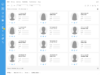
Within each contact record, find key details like address, phone number, or email. Add a photo and assign a contact category: private client, company, or homeowner association. Link properties or other contacts in subtabs for fewer clicks and maximum transparency.
Fully customize your views or add tabs according to your needs. Create search requests for prospects or use automatic contact data completion. By linking contacts, you can visualize hierarchical relationships between your contacts in a clear tree diagram. Manage your contacts GDPR-compliantly and let the system work for you through automation.
All team members can easily access the contact management system along with the stored data. Thanks to automatically logged activities, all past customer communications are fully transparent for everyone. Use the user rights settings to determine which team members can view or edit specific data.
The contact management feature is included in all three versions of onOffice enterprise:
“With onOffice enterprise, Pflugfelder consultants can focus on what sets the company apart: competent and individualized client support and maintaining long-term business relationships. Pflugfelder relies on onOffice enterprise’s contact management system, where all activities are recorded and documented – making client engagement not only transparent but also holistic.”
Sascha Braun, CEO Pflugfelder Immobilien Treuhand GmbH
Discover all the functionalities onOffice enterprise and see how they simplify your daily real estate business!


We answer common questions about contact management.
With Contact Management, you can manage all your contacts and their information. Maintain your records with all relevant details, link associated properties, or create search profiles. You can also establish relationships between contacts to map associations, entire companies, and their hierarchies. Use Contact Management exactly the way you need it.
Absolutely! You can import data into Contact Management in onOffice. We provide a dedicated data migration feature for this. The type of data that can be imported depends on your previous system. Usually, contacts and properties are imported via existing interfaces (CSV / OpenImmo) into onOffice enterprise. Your sales contact will be happy to advise you.
Of course – your data is our top priority. onOffice uses state-of-the-art encryption technologies to protect your data from unauthorized access. Learn more about data processing and infrastructure at onOffice.
Yes! onOffice enterprise makes it easy to comply with GDPR and related regulations. Collect consent from prospects and track which contacts have agreed to data storage. The consent assistant can even automate this process. Dashboard widgets provide a quick overview of any required actions. If needed, data can be deleted with just a few clicks. The system also respects any set retention periods.
Any user you grant the appropriate rights to. All designated team members then have access to Contact Management along with the stored data. You can assign permissions by group or role, and decide whether employees can view or also edit the information.
Yes! Thanks to automatically logged activities, all customer communication is visible to anyone with the appropriate rights. This ensures full transparency for your team.
Yes, directly within each contact record. There is a dedicated “Relationships” tab where you can link your contacts. Easily map family ties, communities, work relationships, and more. Contact hierarchies can be visualized clearly in a tree diagram.
Yes. The duplicate check in onOffice enterprise helps you quickly identify duplicate contacts or identical information across multiple records.
Absolutely! Use predefined categories such as prospect, owner, architect, notary, and many more. You can also create your own contact types – completely flexible according to your needs.
These functions perfectly complement your contact management.
Tracks all correspondence automatically in the agent’s log.
The practical to-do list for structured planning.
Reliable time management to keep every appointment in check.